Assigning Tasks & Notifying Team Members
- View & Manage To-Dos
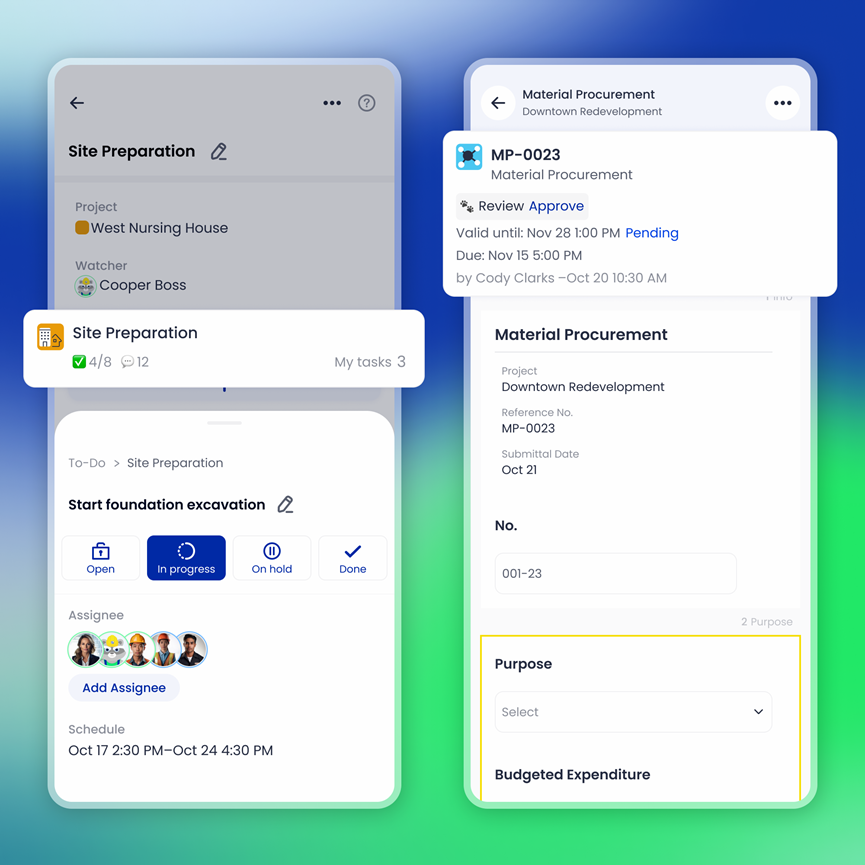
- Tap any Task or Submission card to view the details.
- Update the task’s status as work progresses.
- Add comments or attach files to keep everyone in the loop.
- Assign Tasks to Team Members
- Assign specific tasks to individuals or roles.
- Notify team members by tagging them or updating the task.
- Tasks are automatically updated in the team's to-do list, ensuring everyone stays aligned
- Real-Time Notifications
- Once a task is assigned or updated, team members are notified immediately through the app.
- This ensures that no task goes unnoticed and work stays on schedule.
No results found

