
3. Switch between GoBuid accounts
If you belong to more than one GoBuid account, you can switch between accounts without signing out.
Use account switching when you need to move between companies, teams, or workspaces connected to your login.
In this article
Switch accounts on web
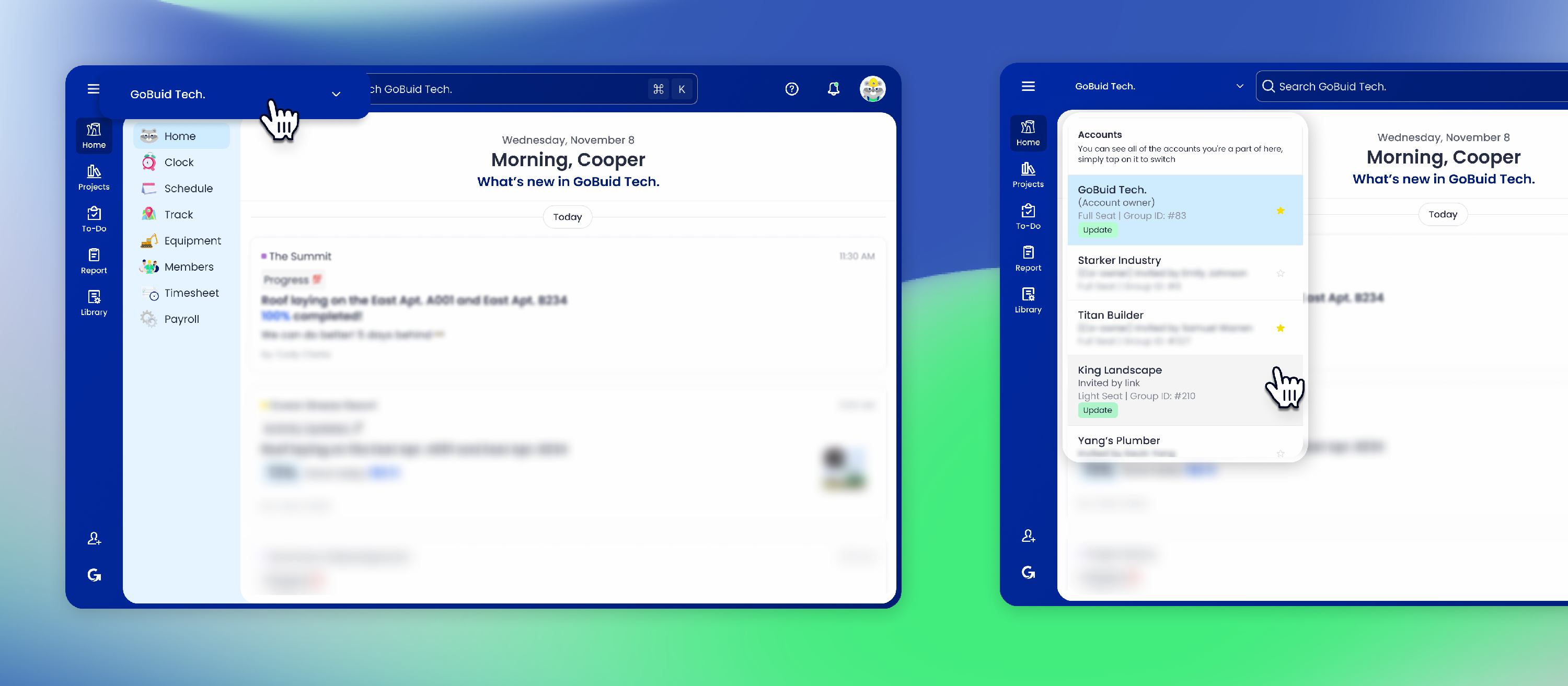
- Sign in to GoBuid.
- Select the account name in the top-left corner.
- Choose the account you want to open.
- GoBuid will switch to the selected account.
Switch accounts on mobile
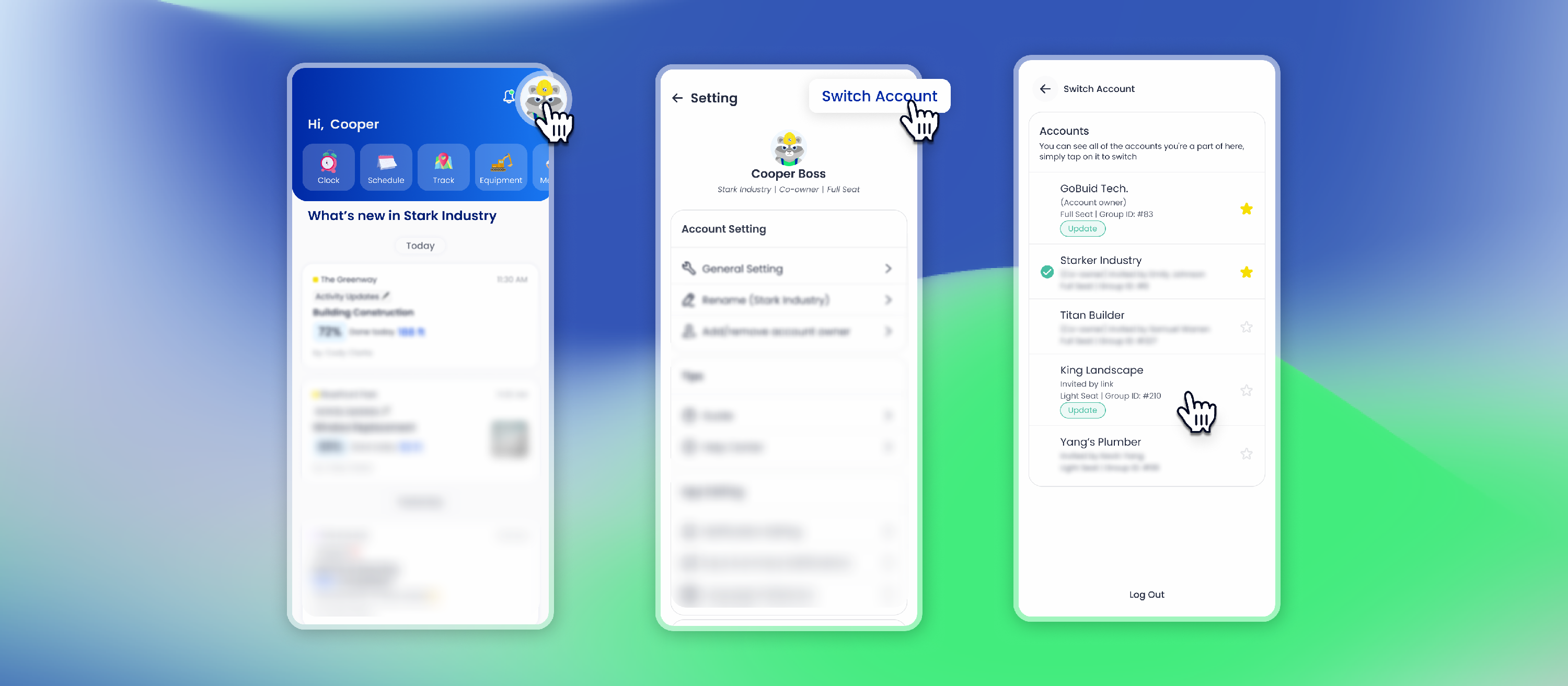
- Open the GoBuid mobile app.
- Tap your avatar.
- Go to
Settings. - Select
Switch account. - Choose the account you want to open.
Why an account may not appear
An account may not appear if:
- You were invited with a different email address.
- Your access was removed from the account.
- You have not accepted the account or project invitation.
If you cannot find the account you need, ask an account admin to check your access.